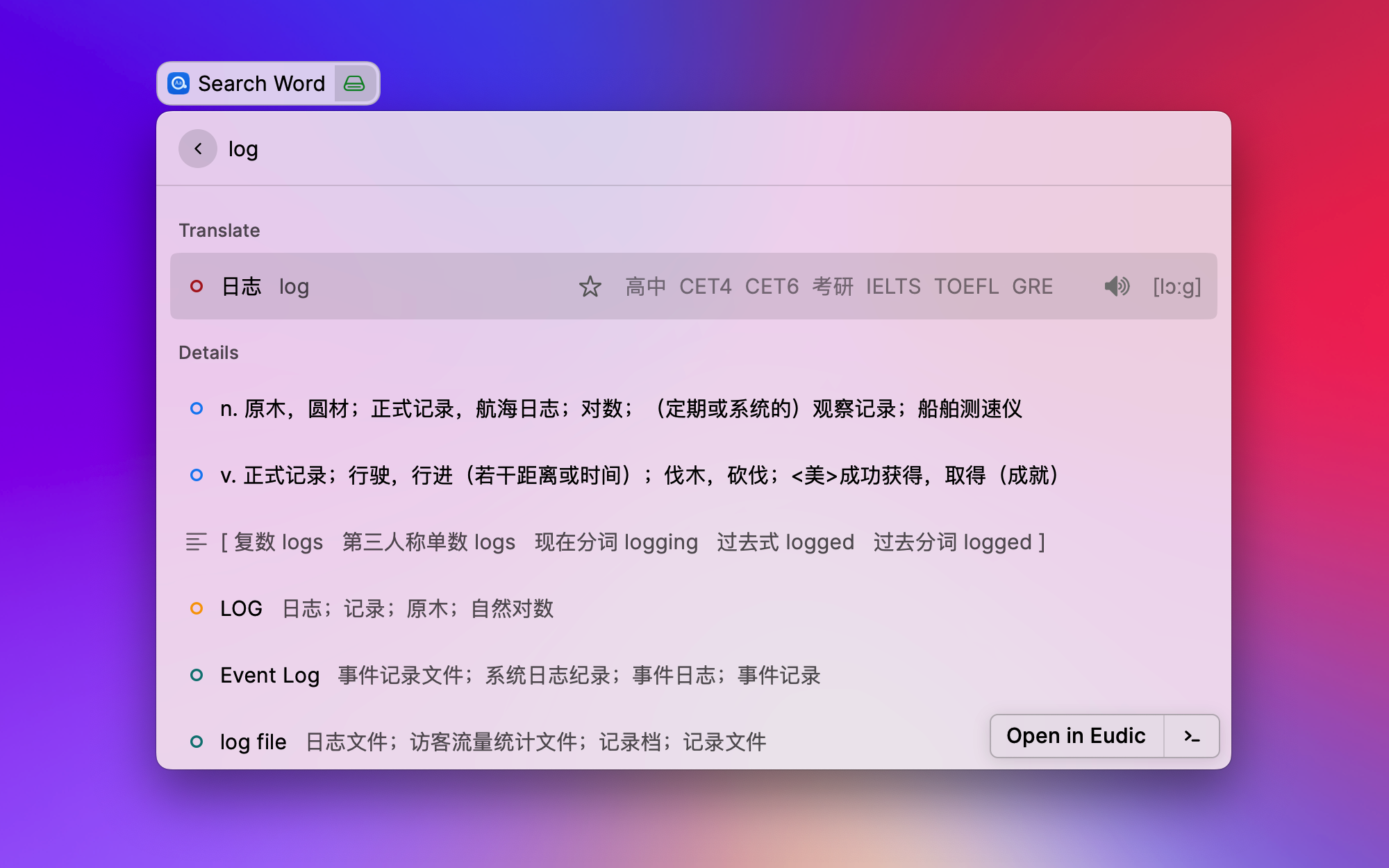
Easydict is an easy dictionary, for looking up words or translate text in an easy way. Use it out of the box, automatically recognize the input text language, support Youdao dictionary, Baidu, Tencent, Youdao and Caiyun translation API.
Features
Out of the box, easy to look up words or translate text.
Automatically recognize the language type of your input text and translate it into the preferred language.
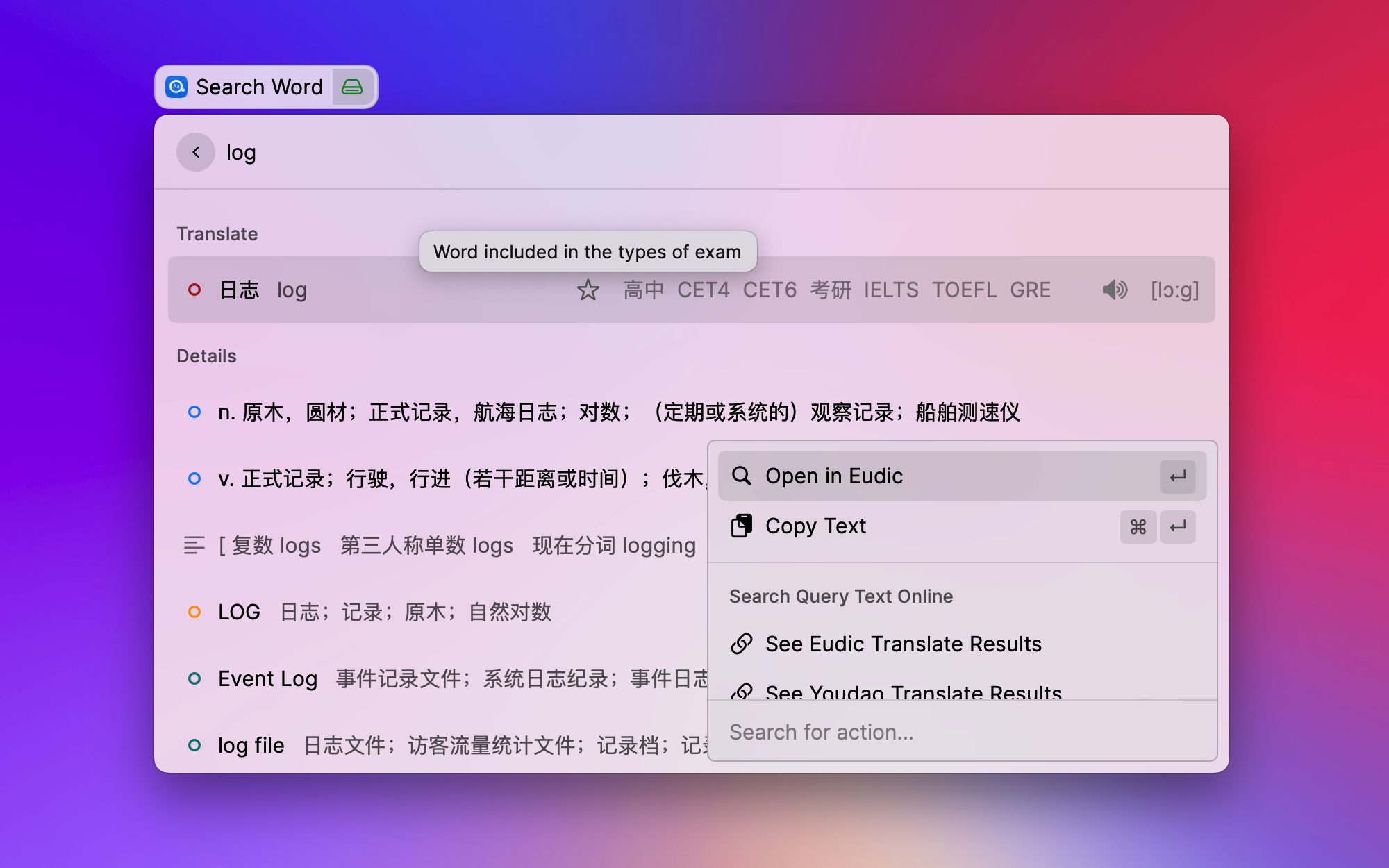
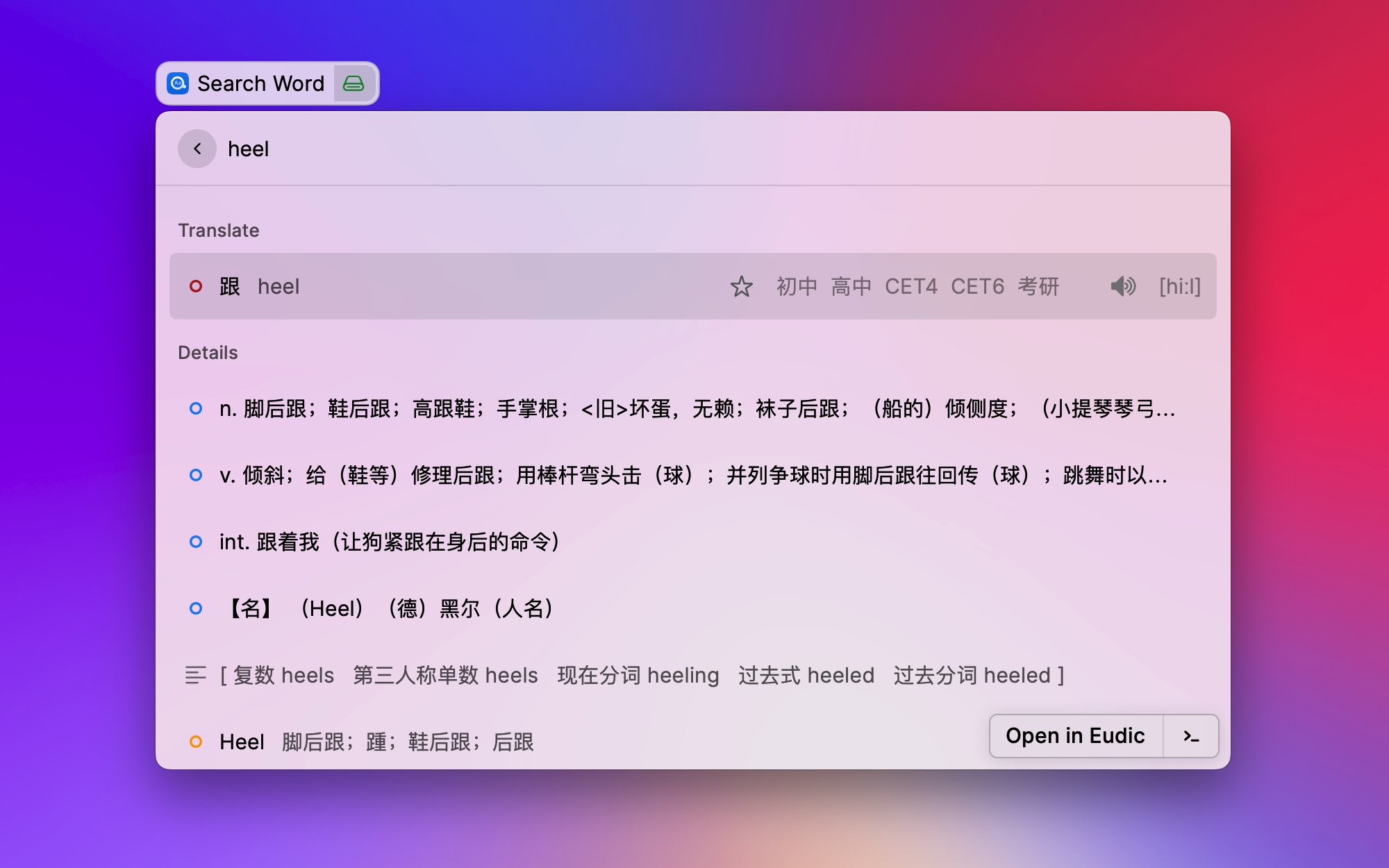
Provide word rich query information, including basic translation, pronunciation, the types of exams that include the word, multiple parts of speech and explanations, forms and tenses, web translations and web phrases.
Support automatic query selected text, enabled by default.
Support to open the Eudic Application and quickly look up words, if installed on your Mac.
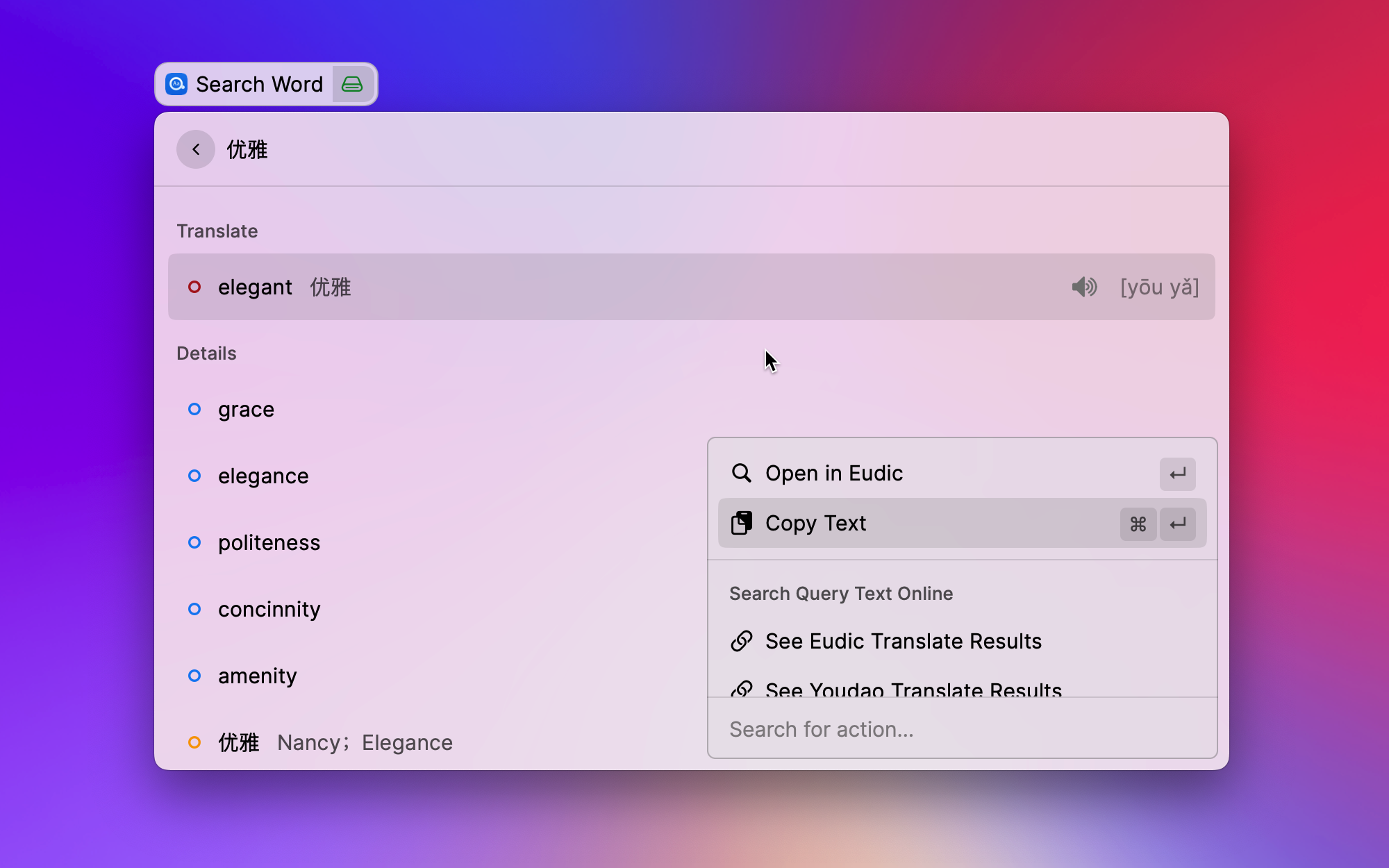
Quick search query text online, supports Eudic, Youdao dictionary and Google translation.
Support Text to Speech(aka TTS).
Support shortcut Cmd + S to quickly play the pronunciation of query words.
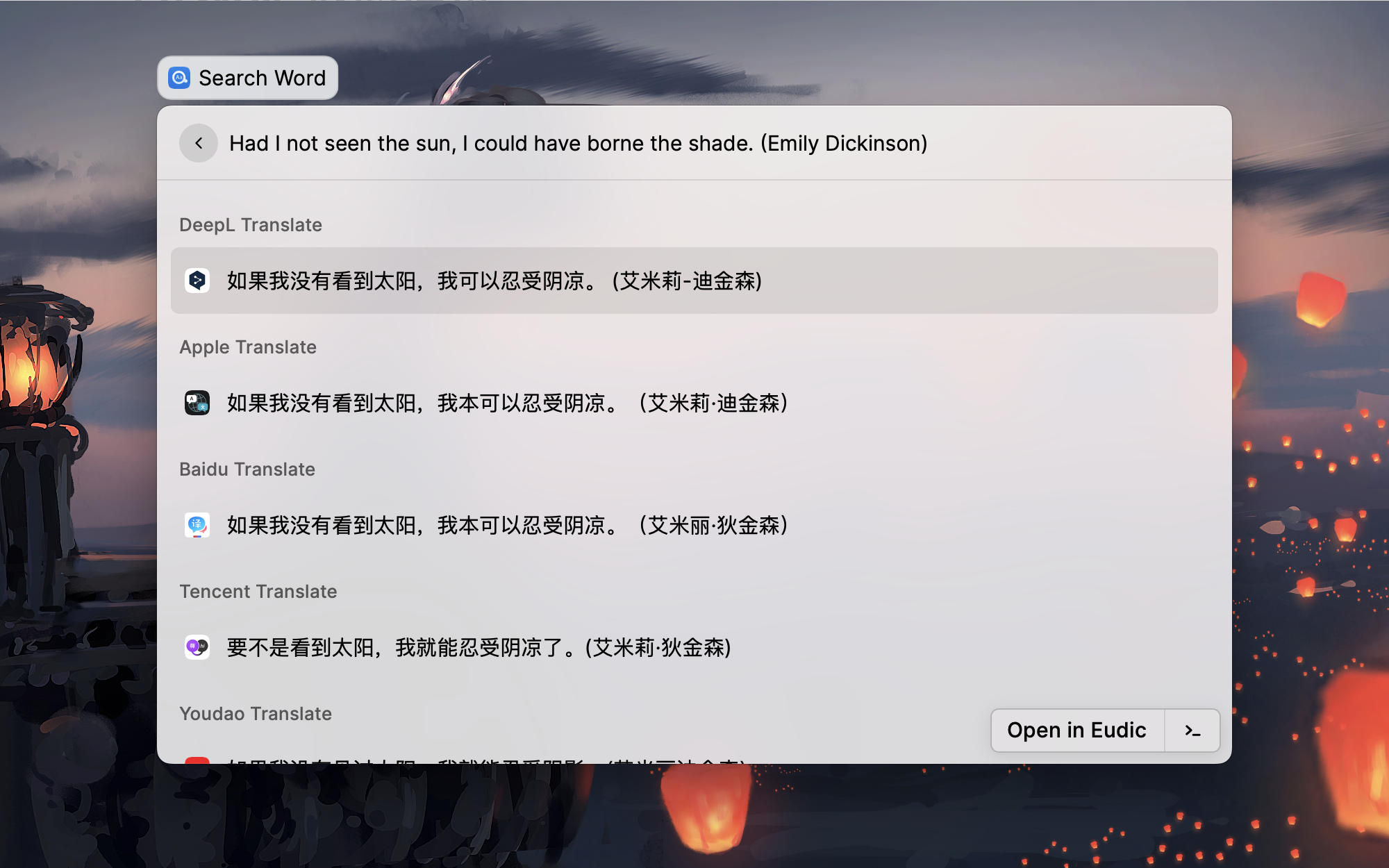
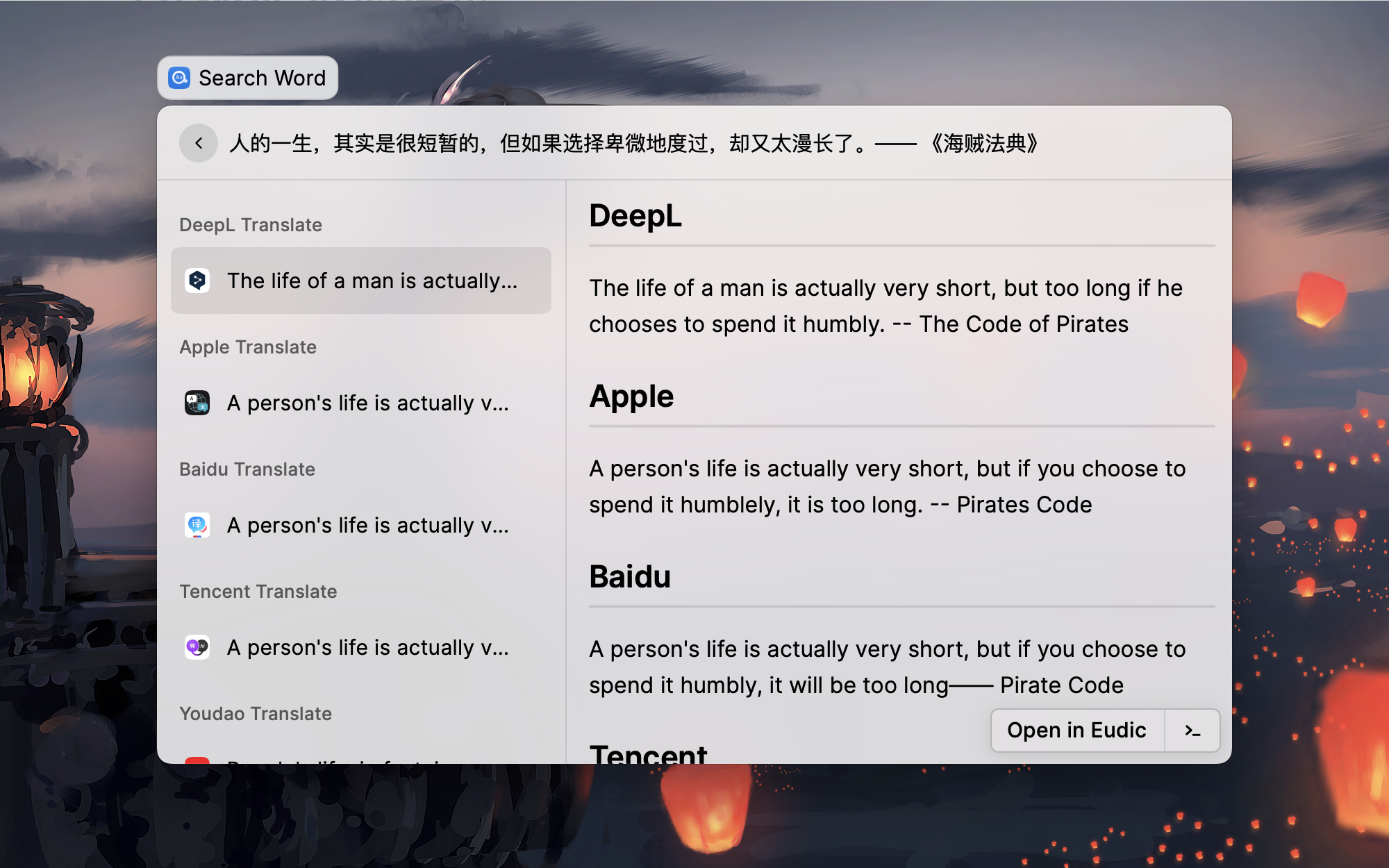
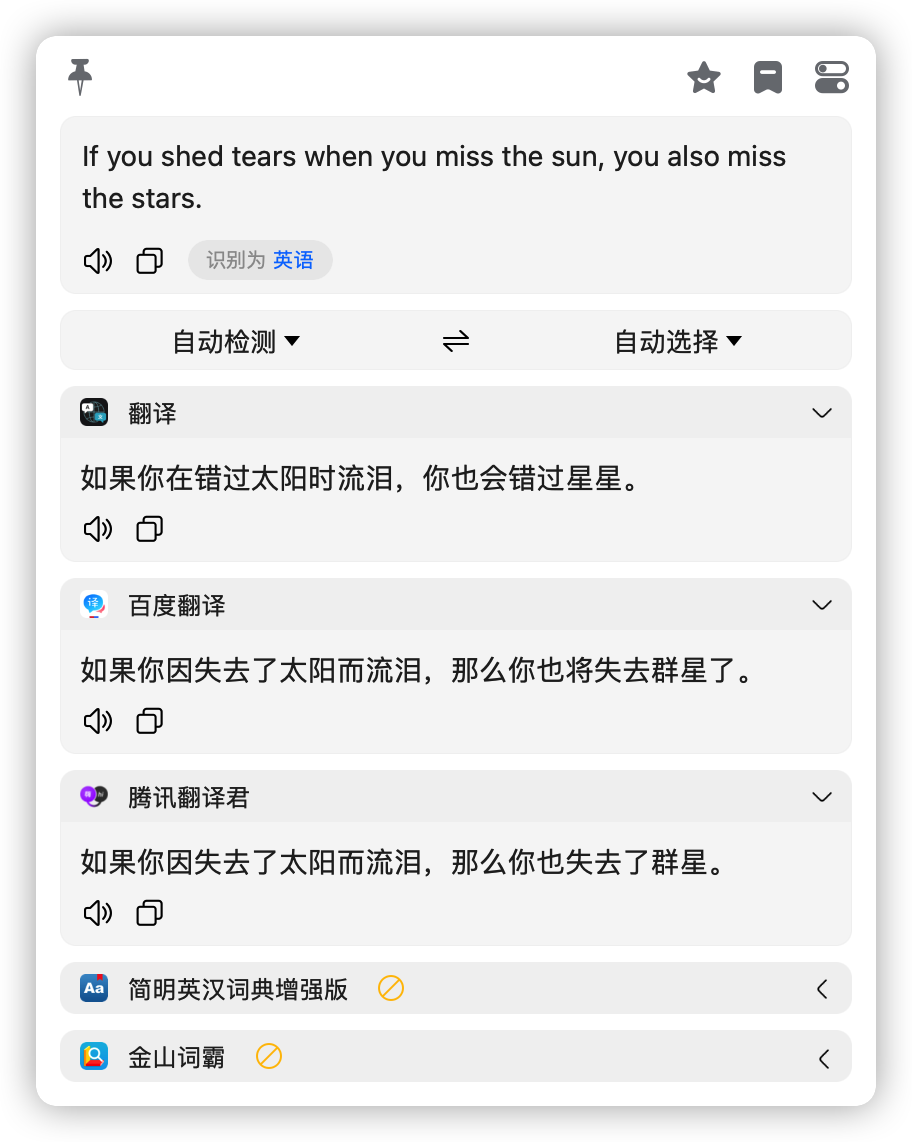
Support for displaying multiple translation results, currently supports Youdao, Tencent, Baidu and Caiyun translation API.
Next:
Support more dictionary API, such as homonyms, synonyms, antonyms, 金山词霸, etc.
Support to view query history.
Advanced
Actually, it works well without you having to do any extra work. The next are advanced documents for those who want to use Easydic better or understand how the extension works.
Preferred Languages
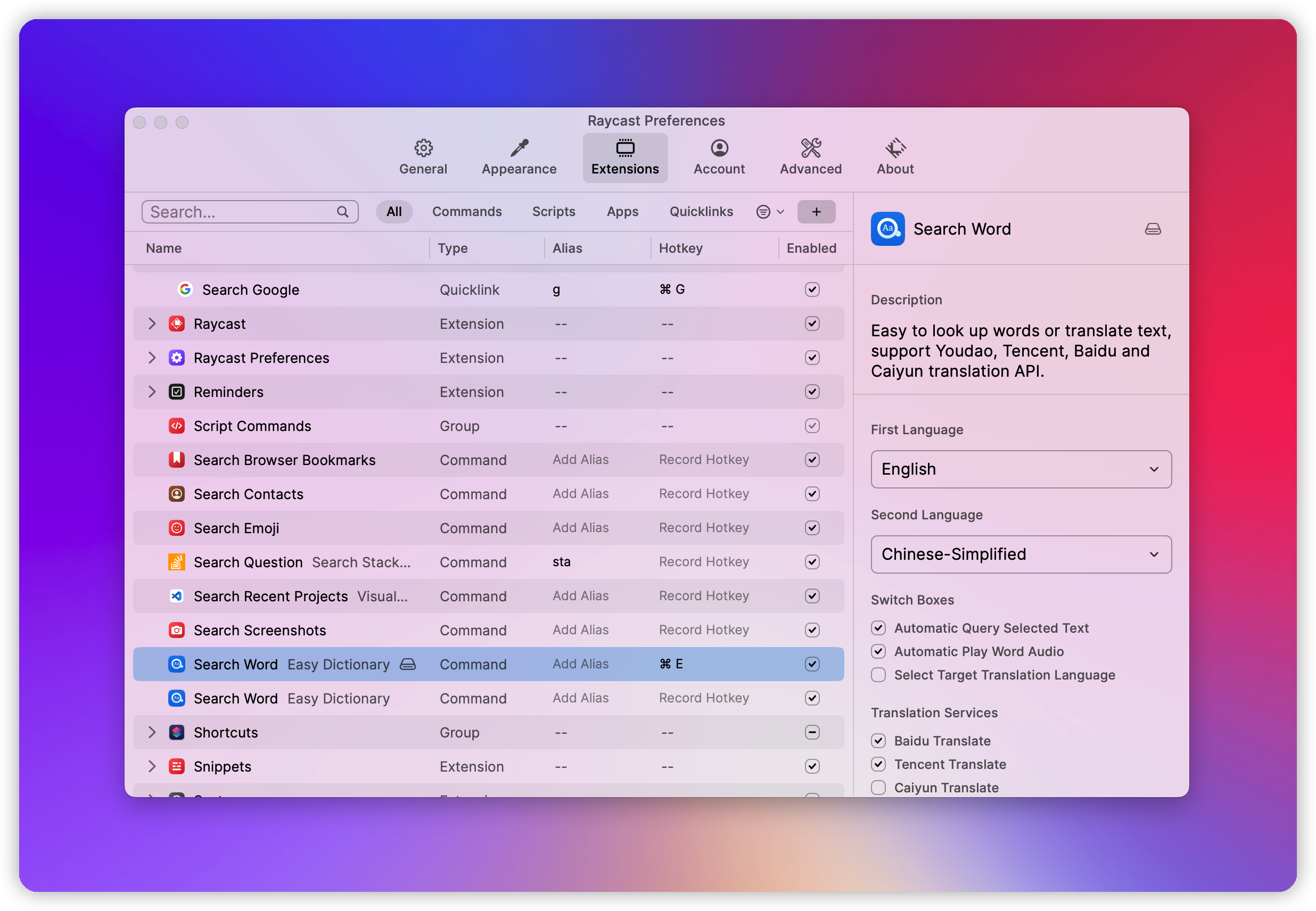
The default preferred languages are simplified Chinese and English. You can change them according to your preferences.
Preference language has two main functions:
First, it improves the accuracy of automatic recognition of input text language.
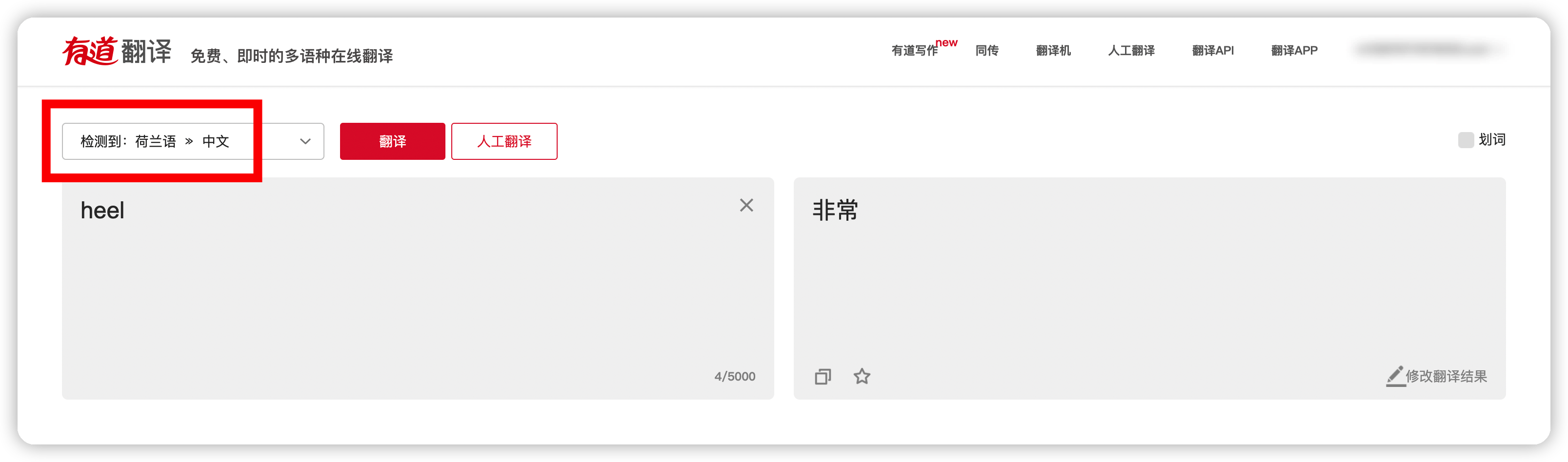
Preference language will be given priority in order during automatic recognition. This is because some words may represent multiple languages at the same time, and the automatic recognition program cannot work as expected. In most cases, the automatic recognition of input text is very useful, except for very few special cases. For example, the English word `heel` will be automatically recognized into Dutch by Youdao translation, and then the translation results are not what we expect. At this time, if your `Easydict` preferred language contains English, it will be recognized into English first and translated correctly.
Second, it is used to confirm your target translation language.
For example, if you input a sentence arbitrarily, it will be translated into the first preferred language. If the automatically recognized language is the same as your first preferred language, it will be automatically translated into the second preferred language.
> **Correction: after v1.1.0, Tencent language recognition is preferred. When Tencent language recognition service is unavailable, the accuracy of language recognition will be optimized through the above methods.**
Automatic query selected text of the frontmost application, this option is turned on by default.
In order to better match the automatic selected text feature, it is a good idea to set a hotkey for `Easydic`, such as `Shift` + `Cmd ` + `E`, so that after selected the text, you can directly query words through the hotkey, which is very smooth and elegant.
Automatic Play Query Word Pronunciation
Automatically play the word voice after querying the word, turned off by default.
Note that when this option is enabled, voice messages will be played automatically only if the content of the query is determined to be `good`, `look for`, `query `, etc. For other query contents, you can use the shortcut key `Cmd + S` to play voice.
Play voice content: English words are preferred to be pronounced in an online youdao dictionary, while others are pronounced using Youdao Translation's TTS service. Long text playback uses the say shell command.
### Select Target Translation Language
Specify the target translation language. This option is turned off by default.
By default, the extension will automatically select the preferred languages as the target translation language, but sometimes if you want to manually specify a supported language as the target language, you can turn on the option `Select Target Translation Language` on the preference page, and then you can temporarily select another target language in the action panel.
### Translation Services
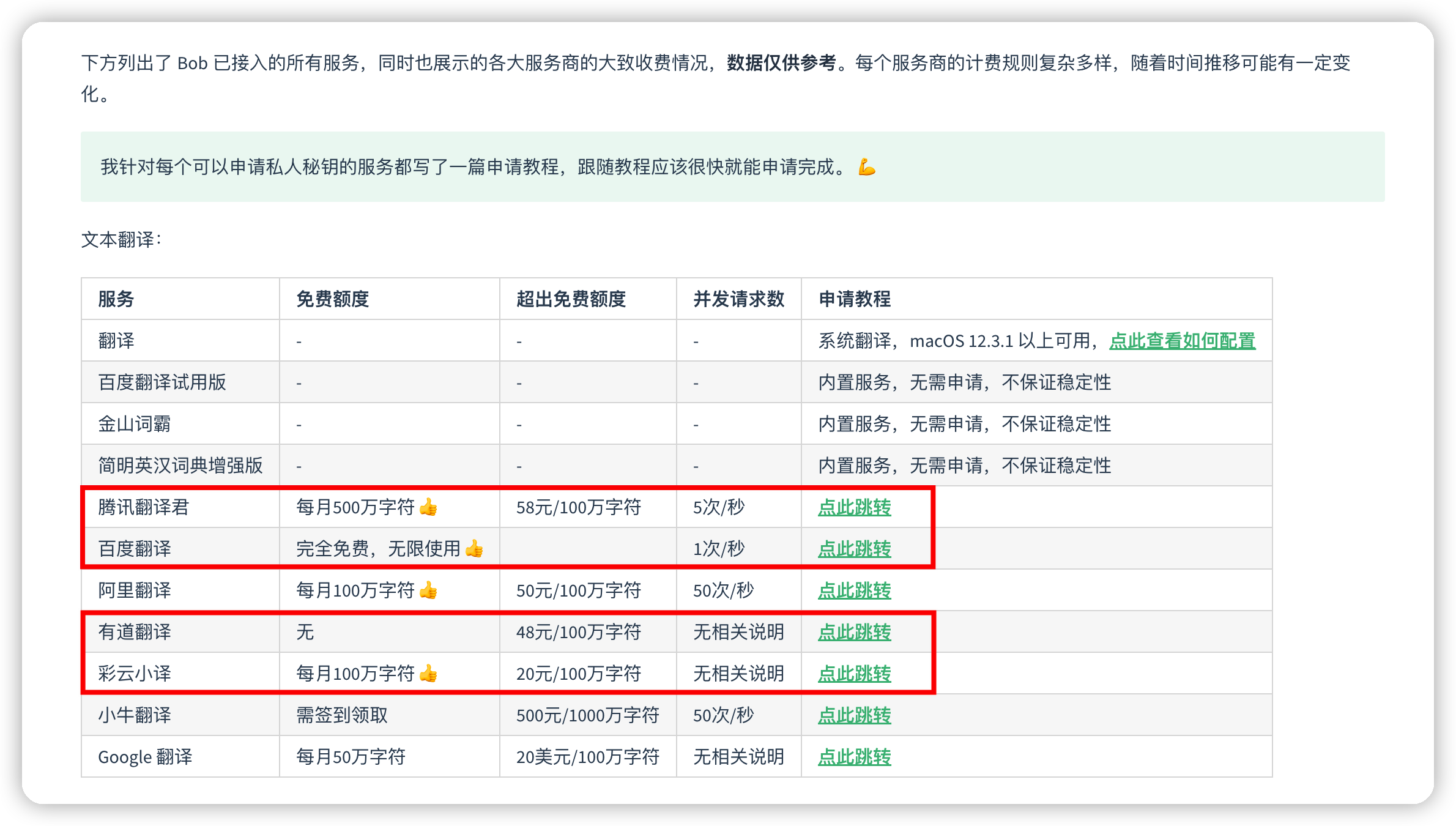
For easy to use, we provide some built-in translation APIs appid and appkey, but these Services have request frequency limits. If many people use them at the same time, it is likely to slow down or even stop. Therefore, for a better use experience, you'd better apply for a dedicated appid and appkey, and then replace the built-in services on the Preferences page.
Don't worry, these translation services have free quotas. Generally speaking, personal use is enough.
The following application tutorial is from Bob. Follow the tutorial and you should be able to complete the application soon.
有道翻译: select 'text translation' and 'speech synthesis'.
Bob is a MacOS translation and OCR application. Easy to use and free!
Thanks
This project is inspired by raycast-Parrot and based on it. Easydic has improved many UI displays, added more practical features, deleted some complex or inappropriate operations, and made a lot of optimization && improvements on the original project.
Finally, all those interested in this project are welcome to contribute to the project, issues and PRs are fine. The project is still in the rapid development stage, any practical suggestions or interesting ideas are OK. There is no guarantee that they will be accepted, but they will be definitely considered.
In addition, if submitting a PR, it is recommended to open a issue to briefly describe the content of the PR, or in discussions Let's have a brief discussion to avoid conflicts between PR and the features I am currently developing. Thank you.
Commands1
Search Word
Easy to look up words or translate text, support Youdao, Tencent, Baidu and Caiyun translation API.
Versions2
1.1.0 - June 20, 2022
✨ New
Added support for Tencent text translation service.
Added support for getting the selected text of the frontmost application, and use crossing word query to replace clipboard query.
Added a switch option in the preference settings to allow you to manually turn on or off some translation services.
Added the automatic pronunciation option in the preference settings. When enabled, it will automatically pronounce the word after it is found.
💎 Improvements
Improved request response speed: no longer send concurrent requests together, change to first request Youdao dictionary API. If input text is not a word, continue to request other translation APIs.
Improved the accuracy of input text language detect, used Tencent language detect API first.
Improved the display of long text translation results. Multiple translation results are displayed in the list details page for mutual comparison.
Improved the text pronunciation. The online Youdao dictionary pronunciation is preferred for English words, and the TTS service of Youdao translation is used for others. Long text playback uses the say shell command.
Improved word phonetic symbol display. When a word has multiple American phonetic symbols, only show the last one.
Improved the handling of translation interface exceptions. Only when there is a Youdao translation exception, an error prompt is reported. Other translation exceptions only display toast prompt.
🐞 Fixes
Fixed online dictionary links has always been a Chinese and English query problem, and now it has been automatically switched according to different languages.
1.0.0 - June 16, 2022
✨ New
Supported Youdao Dictionary, and Youdao, Baidu, Caiyun translation API.
Make full use of the Youdao dictionary API: provided word rich query information, including basic translation, pronunciation, types of exams that include the word, multiple parts of speech and explanations, forms and tenses, web translations and web phrases.
Supported automatic query clipboard text, enabled by default.
Supported to open the Eudic Application to quickly look up word, if installed on your Mac.